Schedule Overview
Schedules define the times a show is broadcast on the radio. By creating a schedule, you define a regular broadcast window (timeslot) for a show, which results in a list of broadcast dates.
List schedules
After selecting a show, click on the Schedules menu item in the sidebar to view the list of schedules.
On the right you find tabs to switch between Current and All schedules (1). Current schedules are the ones that have not yet ended. Clicking the All tab displays a list of all schedules, including past schedules.
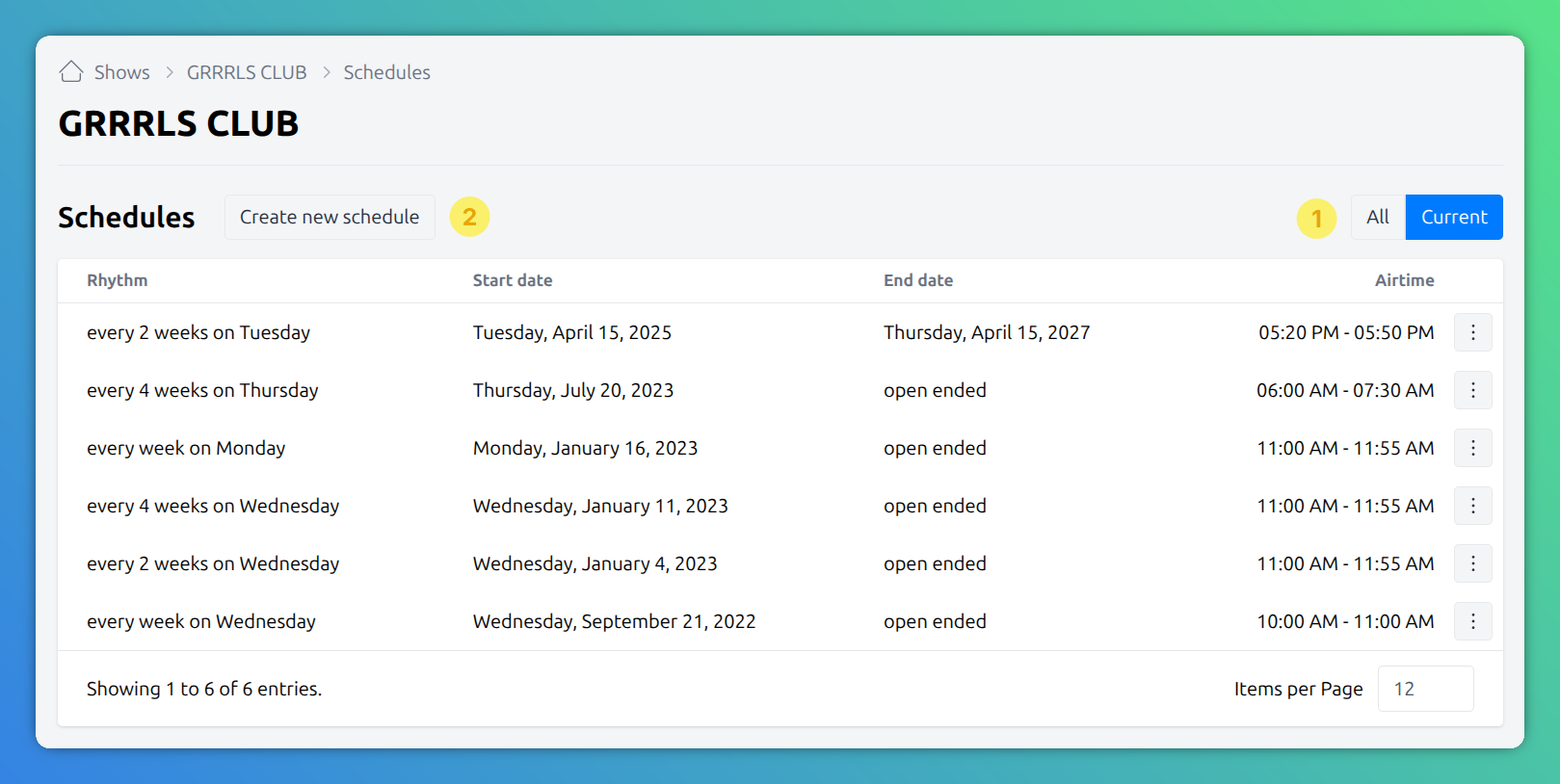
Create schedule
Click Create New Schedule to add a new schedule.
Alternatively, switch to the Week Calendar to create a new schedules, by clicking any unscheduled area.
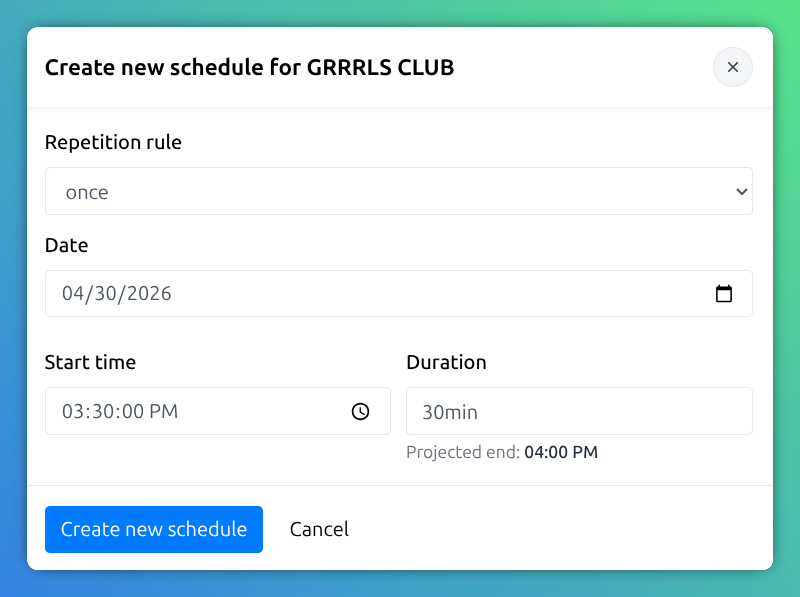
After selecting a repetition rule and filling all the required fields, click the Create Schedule button.
The schedule is either created immediately, or, if there are conflicts with other schedules, you are notified of the existing collisions.
In this case, a robust conflict resolution mechanism will guide you through the necessary steps to resolve all conflicts. Follow up with the conflict resolution steps on the Timeslot Collision Detection page.
Repetition rule
Repetition or recurrence rules form the basis for generating a show’s schedule. Each rule defines the repetition pattern on which a schedule operates.
The set of available rules may vary between radio stations. Your IT team configures AURA with the recurrence rules applicable in the Radio Station Administration > Manage Recurrence Rules section.