Timeslot collision detection
Timeslot collision detection helps you with solving conflicts of overlapping, competing timeslots when creating new schedules or editing existing ones.
In short, only a single timeslot is allowed for a single point in time.
Types of collisions
There are three types of collisions, also called conflicts.
Single collision, fully overlapping
In this situation an existing and your newly created timeslot are fully overlapping.

Single collision, partly overlapping
Here only some duration of the new timeslot is overlapping an existing one.
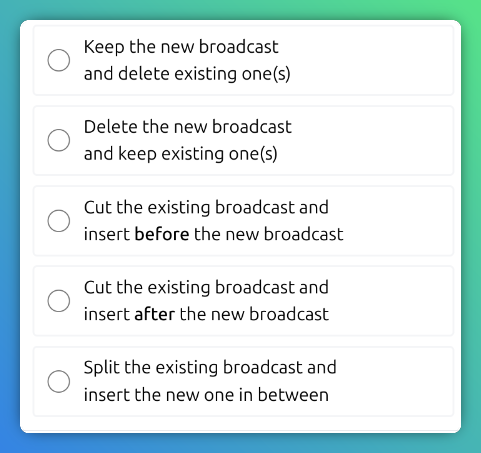
Here you have the option to truncate your timeslot or the existing one. Additionally, the solutions offered in the previous scenarios are offered here too.

Single collision, superset and subset
In that scenario, conflicting timeslots are offered to be split. Again, all possible solutions from the previous scenarios are valid too.

Conflict resolution interface
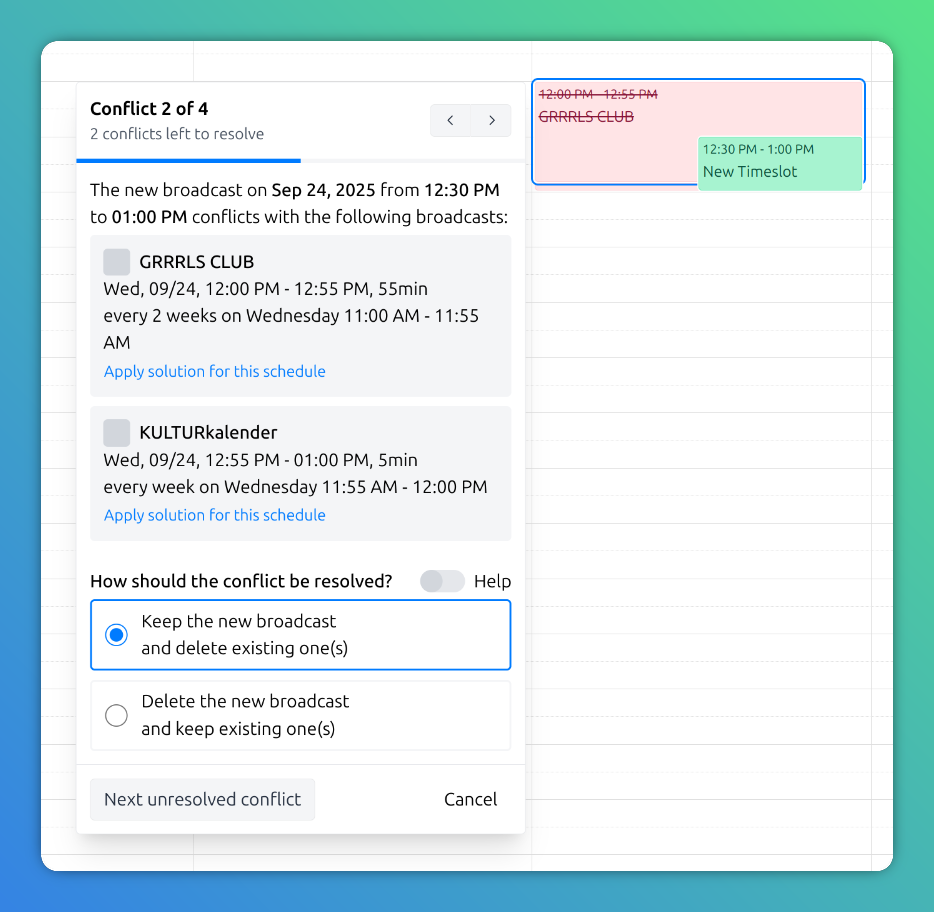
When a collision is detected, the user interface offers you options to solve the conflict(s).

The dialog displays available solution options for this conflict.
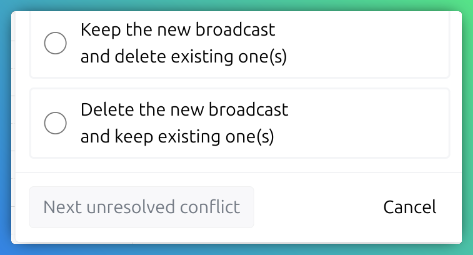
Depending on the individual conflict, different options for solution are presented.
After choosing a solution you can navigate to the next conflict. The solution is also visualised in the calendar.
Additionally, you can navigate back and forth between conflicts in the header of the resolution dialog.
After successfully resolving all conflicts, you are rewarded with an Easter egg 🐰.
Conflict resolution log
The admin area provides you with a log of all conflicts that have been resolved over time. See the Conflict Resolution Log page for more information.