Navigation
Sidebar
Use the navigation in the sidebar to reach the main Dashboard sections.

Shows: Gives you the list of available shows and allows you to manage broadcasts, schedules, episodes and show settings in subsequent pages.
Profiles: This is the place where host profiles are managed.
Week and day calendar: Program Managers organize the radio program in this section.
Prolongation: Allows program manager to perform the annual timeslot prolongation.
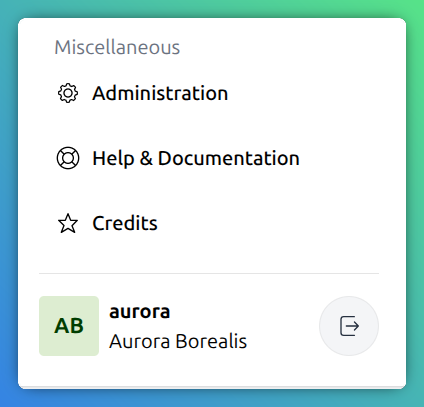
Administration: Radio station administration for your radio’s system administrators.
Help and documentation: Link to the documentation hosted at docs.aura.radio.
Credits: Link to the list of all contributors.
User settings: Click the username to edit your account data, assigned profiles and other settings. Click the Logout button on the right to logout.
Breadcrumb
The breadcrumb is displayed at the top of some pages and can be used to quickly navigate to parent pages.

Pagination
List or table views provide pagination controls in the footer to navigate through additional records.

To adjust the number of items displayed, enter a value in the Items per page input field. Once you changed the default value the setting persists across page loads by storing the preference in the browser’s local storage.