API – Authentication
AURA also supports the standard Django user, permission and role system for authentication and authorization.
Credentials may be provided by session, token or basic authentication.
OpenID
AURA uses OpenID Connect (OIDC) for authentication where Steering acts as an OIDC provider.
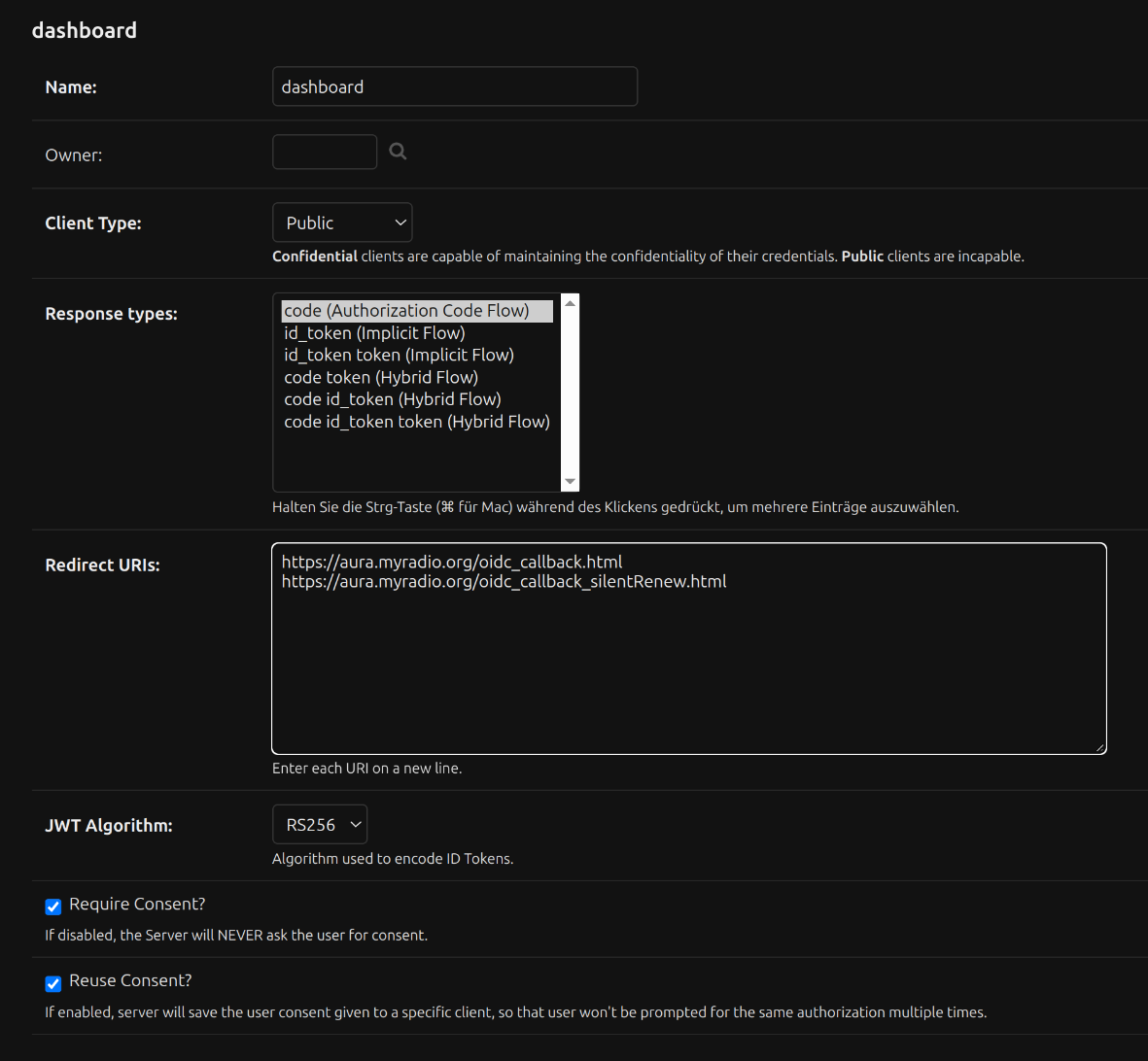
OIDC clients are configured in Django admin under the “OIDC Clients” section. AURA clients use the Authorization Code Flow.
For a basic overview check Admin Guide > OIDC Configuration first.
Auth Tokens
Create new token manually
Auth tokens can be used for API Access to Steering, Battery and Engine API. They are created in Django admin under the “Auth Token > Tokens”.
There click Add Token to create a new token bound to any user. Since the token is provided with all permissions of the bound user, it is recommended to create a dedicated API user with limited permissions for this purpose.
Using the token in API requests
API Clients authenticate by providing the token in the Authorization header.
curl --header "Authorization: Token $AURA_ENGINE_API_TOKEN" ...
Different API results depending on passed token
Some API results may differ depending on the token used for authentication. For example, the
Engine API playlog endpoint returns different results depending on whether a valid token is passed.
Create token programmatically
Steering, battery, and engine-api provide an auto-configuration mechanism for auth tokens. This is intended primarily for inter-service communication and defined in AURA’s Docker Compose configuration files. However, you can add your own tokens if you wish.
The format for these tokens is $USERNAME:$SECRET:$PERMISSIONS, for which
$USERNAMEis the username of the associated user (auto-created as well)$SECRETis a unique secret (unique among all tokens)$PERMISSIONSare the associated permissions (codenames, separated by&).
      AUTH_TOKENS: |
        media_store:${AURA_BATTERY_MEDIA_STORE_STEERING_TOKEN:?token secret for accessing steering from media store}:update_mediasource&add_mediasource&change_mediasource
This example shows how to create a token for the media store service to access Steering.
Permissions
Role permissions assigned to users and groups and are managed in Django admin.
Steering permissions are documented in User Guide > Roles and Permissions.
Battery permissions are listed in the Battery API documentation at
api.aura.radio/battery. Check the list of permissions in
the AnyPermission schema.