Manage groups & permissions
Groups are used to grant permissions to the users.
Programme Coordinator: Can add, change, delete and view every model of the program application:
Category,FundingCategory,Host,HostLink,Image,Language,License,LinkType,MusicFocus,Note,NoteLink,RRule,Schedule,Show,ShowLink,TimeSlot,TopicandType.Host: Can add, change, delete and view
NoteandNoteLinkmodels.Host+: Can change a
Hostmodel in order to edit thebiographyandnamefields, can edit thelanguageandtopicfields of aNotemodel and can change aShowmodel in order to edit thedescription,nameandshort_descriptionfields.
Please note that changes in group permissions and assignments can only be done by superusers.
At the moment there is no dedicated user interface in Dashboard to manage users and groups. Therefore any changes need to be done in the Steering administration interface, reachable via the radio station administration of Dashboard.
List groups
Click “Gruppen” to get a list of available groups.
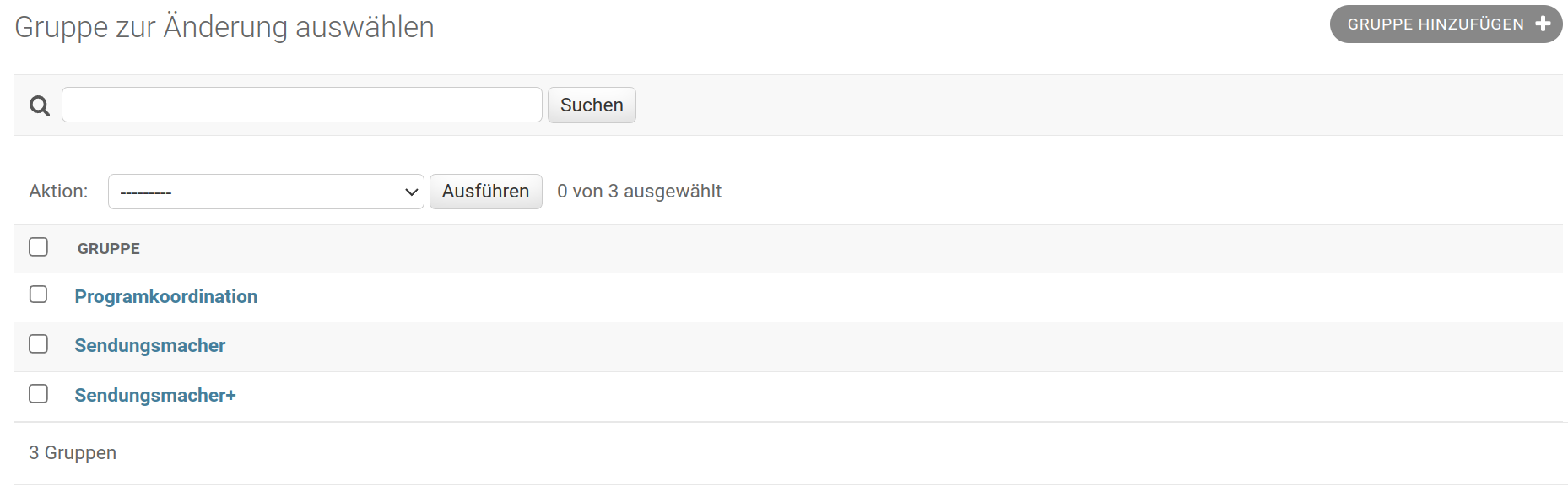
Edit group
To edit the group click the its name in the list.
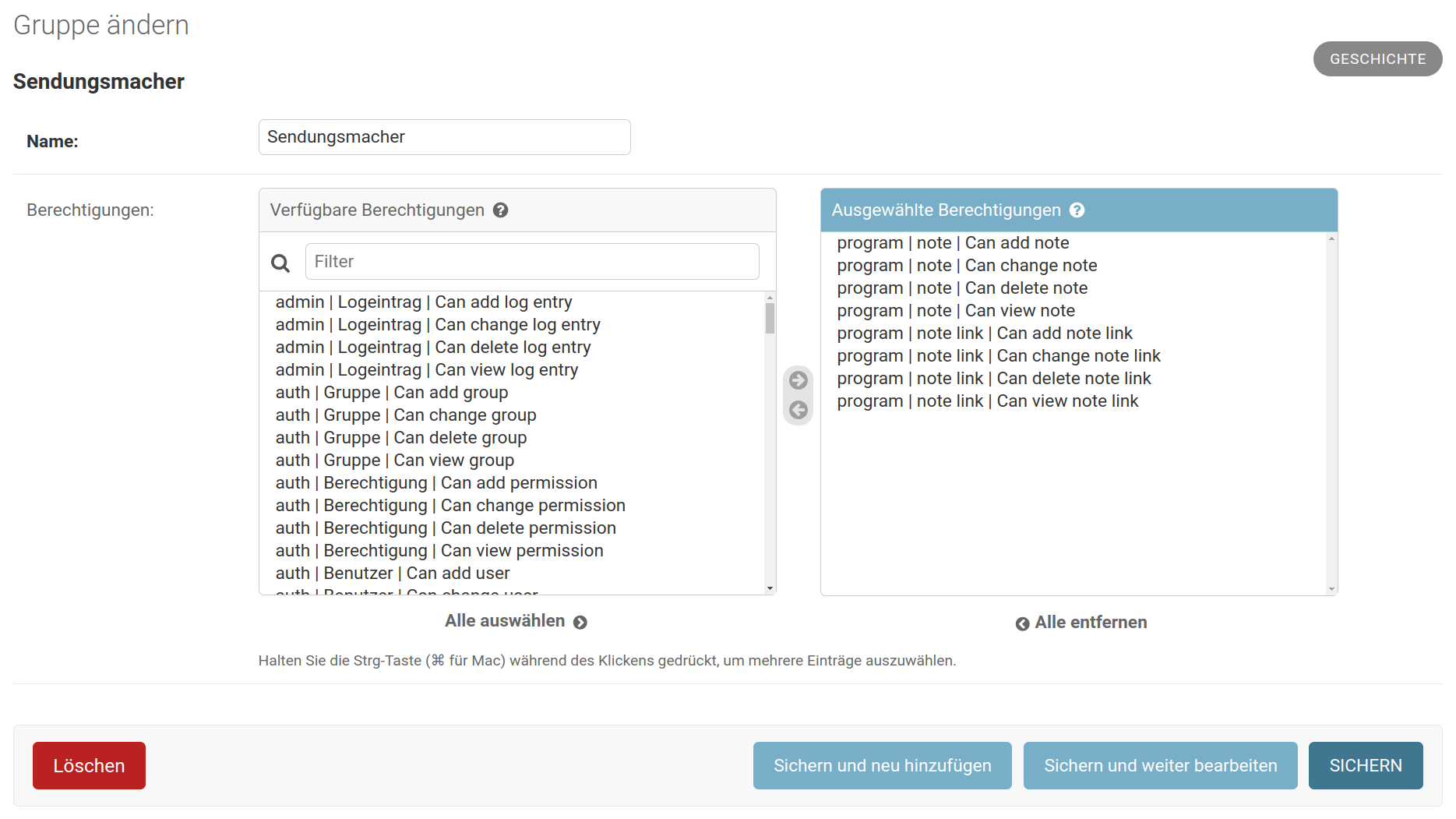
In that user interface you can change the group’s name or edit the set of permissions for that group.
Add group
To add a group click the button Gruppe hinzufügen.

Please note, that this should be planned with the IT administration, since group are usually carefully planned and defined within the whole organisation.
Permissions
By default, Django defines four permissions for each model: “add”, “change”, “delete” and “view”.
These are enough for the majority of the models: Category, FundingCategory,
HostLink, Image, Language, License, LinkType, MusicFocus,
NoteLink, RRule, Schedule, ShowLink, TimeSlot, Topic, Type and
UserProfile can only be added, changed, deleted by authenticated users with
these privileges.
All the models are read-only for non authenticated users.
For four models (Host, Note, Show and TimeSlot) additional permissions
are defined to allow users to “edit” or “display” fields they are otherwise not
allowed to:[1]
Model |
Permission |
|---|---|
host |
Can edit biography field |
host |
Can edit name field |
note |
Can edit content field |
note |
Can edit contributor field |
note |
Can edit image field |
note |
Can edit language field |
note |
Can edit links field |
note |
Can edit summary field |
note |
Can edit tags field |
note |
Can edit title field |
note |
Can edit topic field |
show |
Can display internal note field[2] |
show |
Can edit category field |
show |
Can edit cba series id field |
show |
Can edit default playlist id field |
show |
Can edit description field |
show |
Can edit email field |
show |
Can edit funding category field |
show |
Can edit hosts field |
show |
Can edit image field |
show |
Can edit internal note field |
show |
Can edit is active field |
show |
Can edit language field |
show |
Can edit links field |
show |
Can edit logo field |
show |
Can edit music focus field |
show |
Can edit name field |
show |
Can edit owners field |
show |
Can edit predecessor field |
show |
Can edit short description field |
show |
Can edit slug field |
show |
Can edit topic field |
show |
Can edit type field |
timeslot |
Can edit playlist field |
Permission checks are performed on